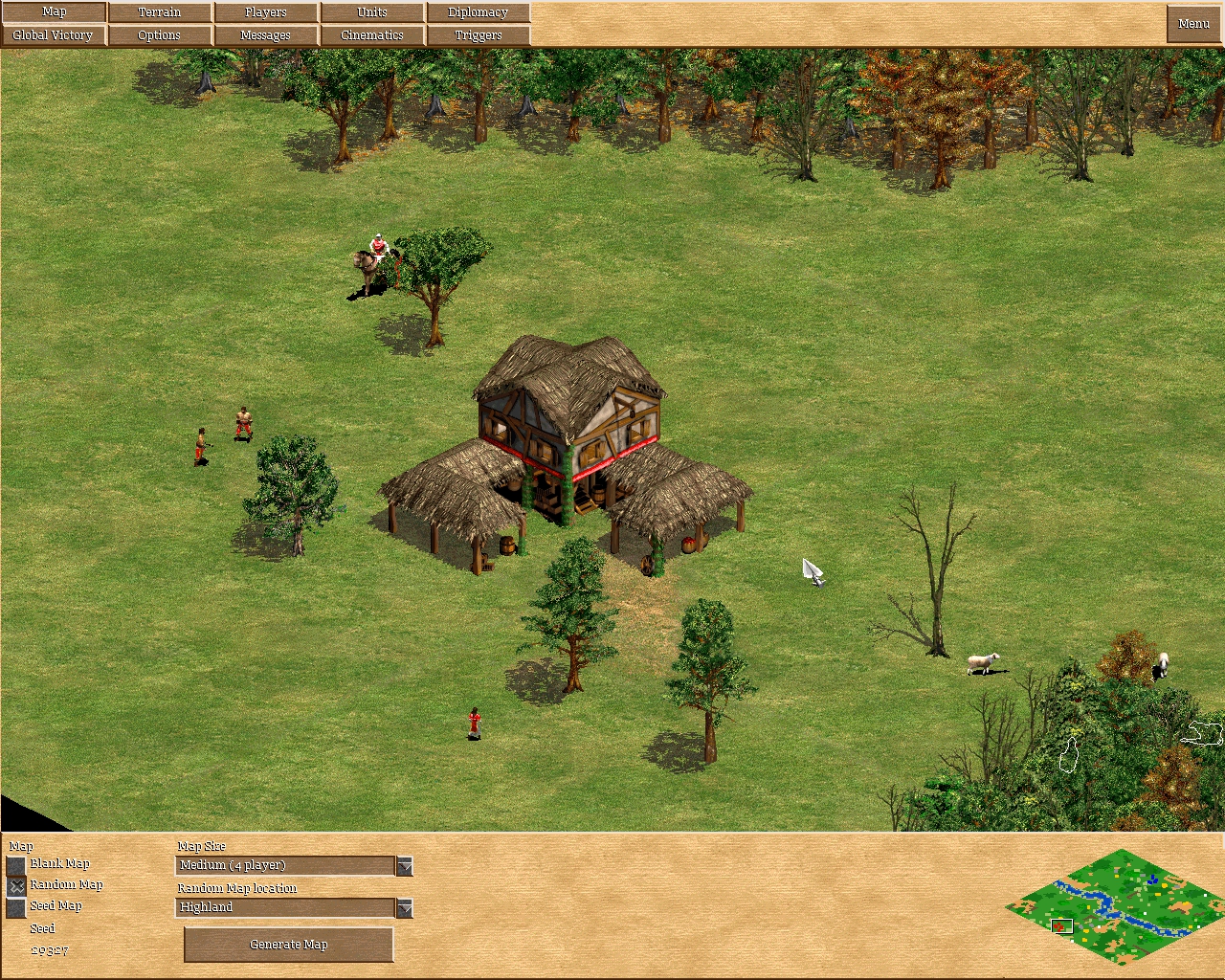
Nothing like spending your night refreshing yourself on propositional logic, Turing machines and AOE2's scenario editor...😇
Among all the cool things you can do in the editor, the coolest by far are defining triggers. They cause effects to happen based on conditions. To me this was an obvious place to start because there is some form of rules happening here. It lead to the question: what kind of triggers should I particularly look for? The ones that satisfy the requirements of a Turing machine of course. This means these trigger conditions and actions must allow me to:
1. Read and write symbols
2. Move the position in my "memory space"
3. Actually have a "tape" or "memory"
4. Actually have a pool of symbols to use
On top of that, I need to be able to write rules of some kind. Having access to propositional logic will also be very useful here. So I began my research (aka googled a few things), and 30 minutes later I had my answers.
The following objects, conditions and effects satisfy the requirements nicely:
Pool of symbols: any number of game units
Pool of memory: all unit types available in the game (see note at bottom of post)
Move memory position: Create Object
Write to memory position: Create Object & Task Object, Kill Object
Read from memory position: Own Objects, Own Fewer Objects
Here is an example of using game unit types as the memory "cells":
 In this example, the memory looks like: 1, 1, 1, 1, 1, 1, 1, 1, 1, 1
Which is: 8, 1, 8, 1, 1, 8, 1, 1, 1, 1
Parallel flow:
T1 T2 T3
C1 (T) C1 (F) C1 (F)
C2 (F) C2 (T) C2 (F)
C3 (F) C3 (F) C3 (T)
All 3 triggers (T) run simultaneously and configured such a way where all the Conditions (C) cause each to run at the proper times.
Tree flow:
T1 triggers T2 triggers (T3 or T4)
T1 "drives" the program by being the only that begins on game start and loops forever. It passes execution to T2 and then T2 triggers both T3 and T4 but they decide within themselves if they should run (similar to what parallel flow triggers are doing - or what XOR is doing below).
To me this is the more practical way to structure these programs, and is more efficient because of less instructions.
Does the scenario editor offer any way to create propositional logic? Yes. We have access to conditions, which means we have the ability to do if -> then, combined with Own Objects and Own Fewer Objects, we can access our memory and do comparisons.
We can conjoin two propositions/conditions, so it is easy to do "AND" operations:
Own Objects (Unit type: Soldiers, Amount: 7)
Own Objects (Unit type: Archers, Amount: 10)
It is possible to do a semi "OR" also, using Triggers. The issue with this is if both branches are true it will execute both triggers. So a more useful operator here is "XOR":
Trigger 1 Trigger 2
Condition 1 (T) Condition 1 (F)
Condition 2 (F) Condition 2 (T)
Effects Effects
Both triggers run simultaneously, but only one branch of effects will execute, because Condition 1 must be true in one, but will be false in the other, and reverse with Condition 2.
It is also easy to do addition and subtraction, using Own Fewer Objects, Create Object, Task Object and Kill Object:
Trigger 1
Own Fewer Objects (Unit type: Soldiers, Amount: 9)
Create Object (Soldier)
Task Object (Move to location)
Trigger 2
Own Fewer Objects (Unit type: Soldiers, Amount: 17)
Create Object (Soldier)
Task Object (Move to location)
An example of what it'd look like in-game:

We need Task Object because the game will not spawn more than one object in the same spot, so we force them to move.
The result of this operation can be found in the unit counter at the top of the screen.
A more complex but useful set of triggers and conditions, allows you to do equality operations, such as equal to, less than or equal to, and greater than or equal to. For it to work properly though we need to introduce the special "halt" symbol: The King:

The configuration for "is 23 greater than 9" is:
Trigger 1 (On-startup, Loop)
Own Fewer Objects (Unit type: Soldiers, Amount: 23)
Create Object (Soldier)
Activate Trigger (2)
Trigger 2 (No loop)
Own Objects (Unit type: Soldiers, Amount: 9)
Own Fewer Objects (Unit type: King, Amount: 0)
Create Object (King)
This will continually spawn soldiers until there are 23. If we hit 9 or more, it will mean that 23 is greater than 9 and will spawn a King to indicate it. As a user who creates scenarios, you could change the "halt" spawn to whatever is useful to your game, and as many as you want.
Overall not very useful, but neat anyway!
It is too bad I cannot easily create videos of this, but if someone does end up making any, I will embed them here.
------
OK so I had a slight misunderstanding about what Turing completeness is. Not only must I be able to create a Turing machine, it has to be any Turing machine. In order to do this you need to have "infinite" memory. In our case, we are bound by the number of unit types, but we can create an arbitrary amount to resolve this problem: http://aok.heavengames.com/university/modding/an-introduction-to-creating-units-with-age-2/
Just use OBS - it can record the game video to file and it's pretty easy to setup ;)
ReplyDeleteThis comment has been removed by the author.
ReplyDeleteamazing job!
ReplyDeleteIf not wrong, the unit is the memory address and the count the value?
ReplyDeleteWhat if the value is the attack value of the unit instead of the number?
And the memory address can be the actual unit location.
Another idea there:
- Can we increase the garrison maximum, read, remove and add from garrison? So a castle or boat could be memory block holding a theorytical infinite number of units.
This is a fascinating exploration of how game mechanics can be used for computational purposes.
ReplyDelete